
OFFICIAL APP GUIDE
How to Plan One to Three Daily Tasks with Yahamiao
Leave room for one to three things that matter today. Write a concrete action, mark progress in your list, and look back in the calendar. Adapt this example to your own pace; one task is enough.
Checked October 12, 2026 · Current public iOS version: 1.0.4
Guide updated:
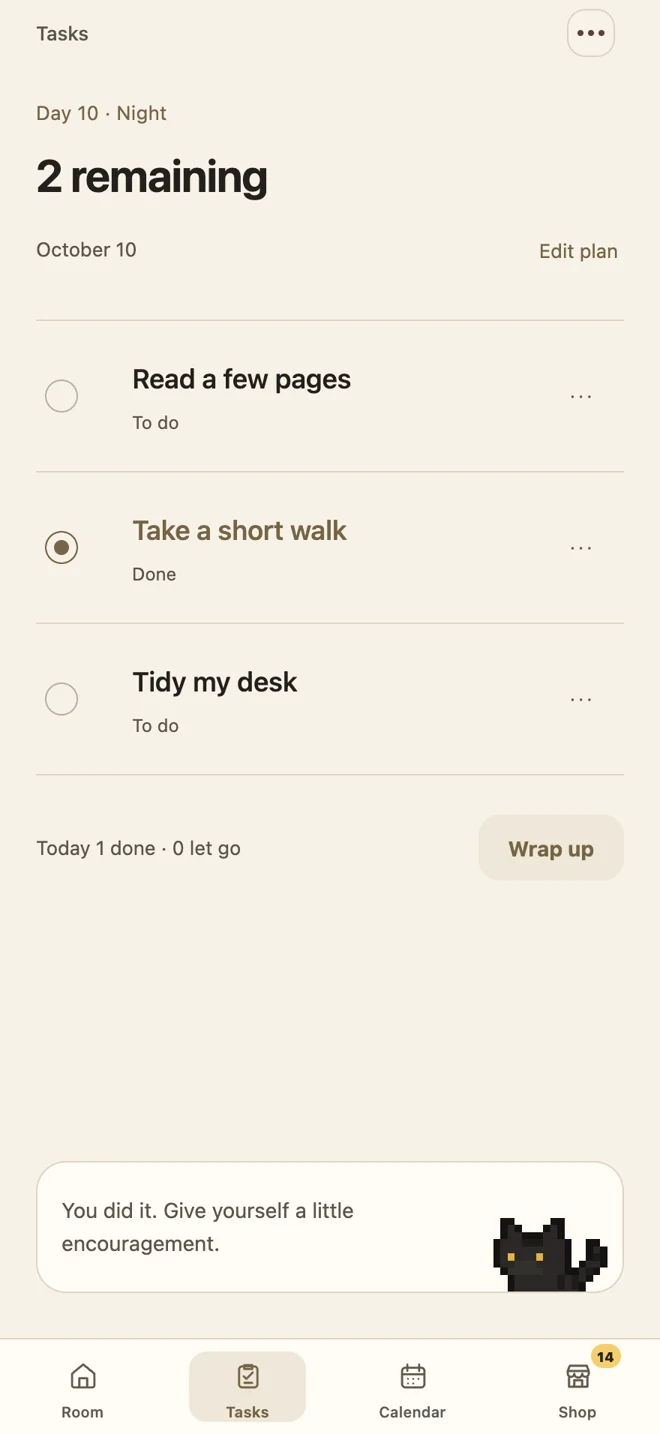
Choose one thing you want to move forward
Pick an action you feel ready to begin and make it concrete. “Read a few pages” makes the next step clearer than “read more.” You can leave the other spaces empty.
Task examples for three ordinary situations
Work
- Edit one page of a draft
- Organize one set of notes
- Write down tomorrow’s first task
Study
- Read one short section
- Solve one practice problem
- Summarize three notes
Everyday life
- Take a ten-minute walk
- Tidy your desk
- Send a friend a hello
Daily planning templates you can use today
Choose a situation and replace the actions with your own. Use up to three tasks, or pick only one. Define what done means, then review in the evening.
Study day
- Read section 2 and write three notes
- Finish two selected practice questions
- Pack the books needed for tomorrow
Workday
- Revise the first page of a proposal and send it
- Reply to today’s most important email
- Write down the first task for tomorrow
A quieter day
- Go outside for a ten-minute walk
- Put away five things on your desk
- Read five pages of a book you enjoy
A working day, from the first task to a review
- Start with “Edit the introduction on page one of my portfolio.” Finishing that page gives the task a clear boundary, unlike “Work on my portfolio.”
- If you have room today, add “Summarize three reading notes” and “Tidy my desk for ten minutes.” You do not need to fill all three spaces.
- Tap the circle beside a task in the app when it is done. If you complete only part of your list, the other tasks remain unfinished.
- Collect the day’s single points reward when every task you wrote is complete. Writing and finishing just one task also meets that condition.
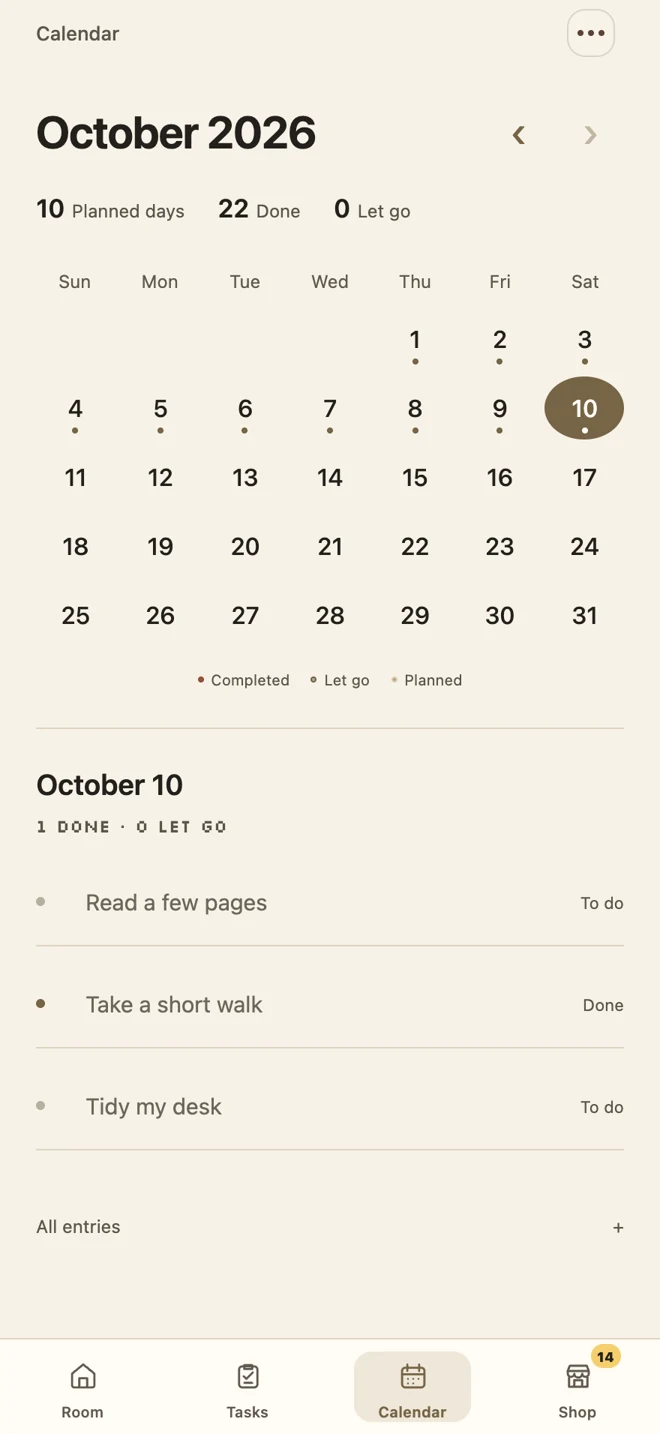
- At the end, open the calendar and select today to review your record. You can plan anything you still want to do again on another day.
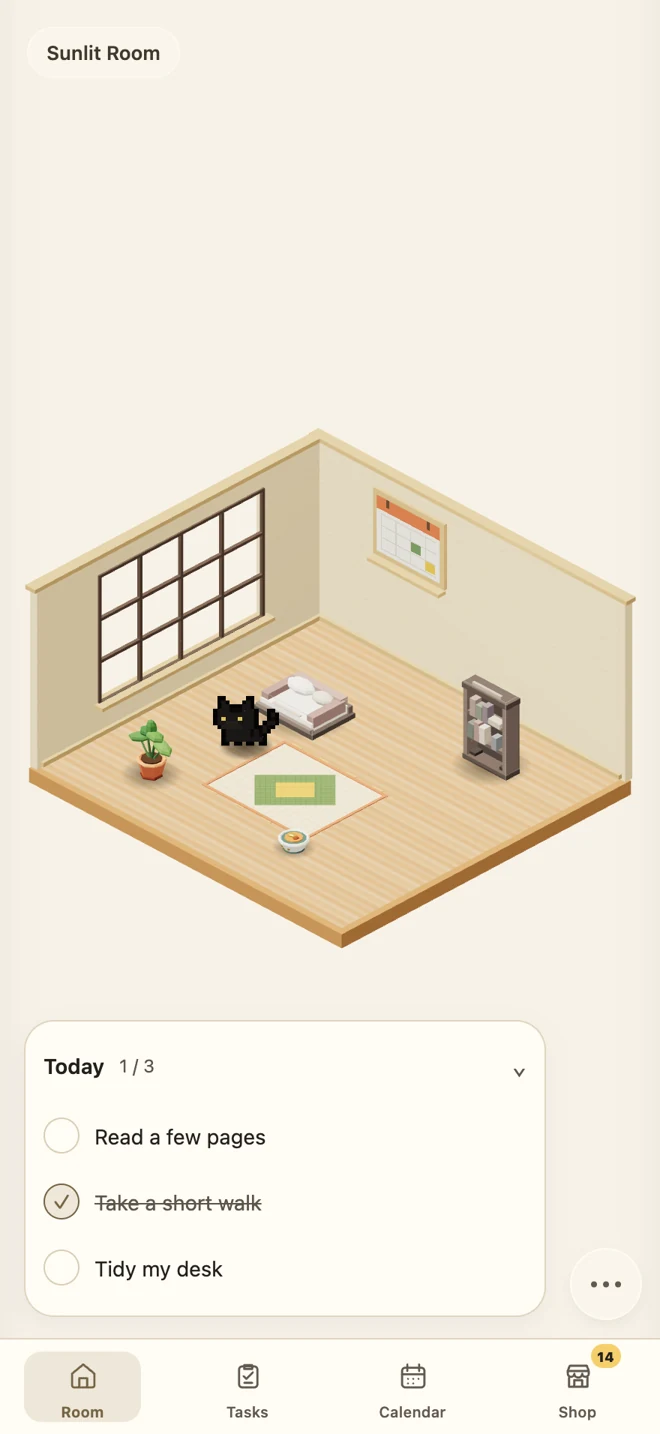
Track progress in your room or list
- Type a task, or tap the room’s bed, bowl, or bookshelf to record one.
- Tap the circle beside a task when it is done.
- When every task you wrote for the day is done, collect one daily points reward.
- Open the calendar and choose a date when you want to look back.
You can close an unfinished day gently
Keep going if you want to, or choose to let a task go when you close your day. Your record is one small step you have taken. You do not have to fill every day. Look back in the calendar and begin the next day at your own pace.
Does finishing just one task count as a complete day?
Yes. Three is the daily limit, not a requirement. The daily reward requires every task you wrote for that day to be complete: finish one if you wrote one, or all three if you wrote three. Recording a task, logging in, or finishing only part of the list does not earn a separate reward.
Look back in the calendar before planning tomorrow
Select a date in the calendar to see your tasks and progress. Use a JSON backup when moving your records; they do not automatically sync between devices. Reviewing helps you choose a next step without filling all three spaces every day.
SOURCES AND CHECKS
Based on the public store descriptions, app help, and official system tutorials. Images show the app in this language or native widget styles. Sample tasks are illustrative, not real personal records.
Need help? Visit support (Chinese) ↗