
01 / UP TO THREE THINGS A DAY
Daily planning,
one to three things.
Get those little things out of your head and onto a list. Yahamiao gives each day up to three spaces, so you can focus on what really matters.
Today
Leave a little room for today
One small thing is a lovely start.

02 / A CAT AND A CORNER OF YOUR OWN
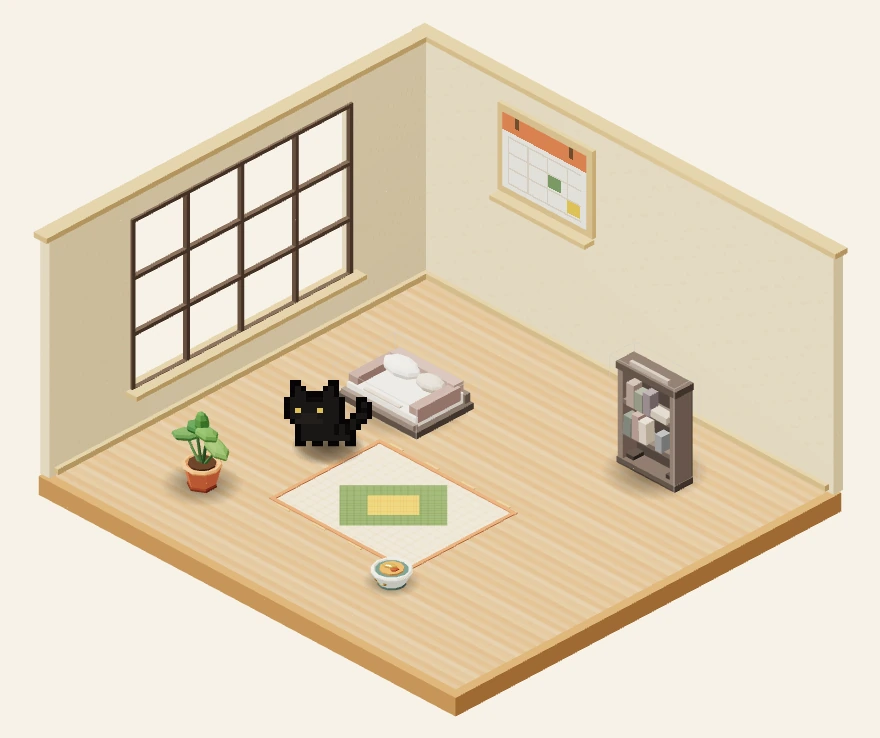
A pixel cat companion.
A room of your own.
Open Yahamiao to find your cat and your little room. Tap the bed, bowl, or bookshelf to record a task. Finish all the tasks you wrote for today to collect one daily points reward, then slowly add new furniture and companions.
Start with Jinbao
and a sunlit little room.
Choose a cat you love. Add something that feels like you. There’s no rush to fill your room.



Some companions unlock with points or optional purchases.
Your room shows one selected cat at a time.
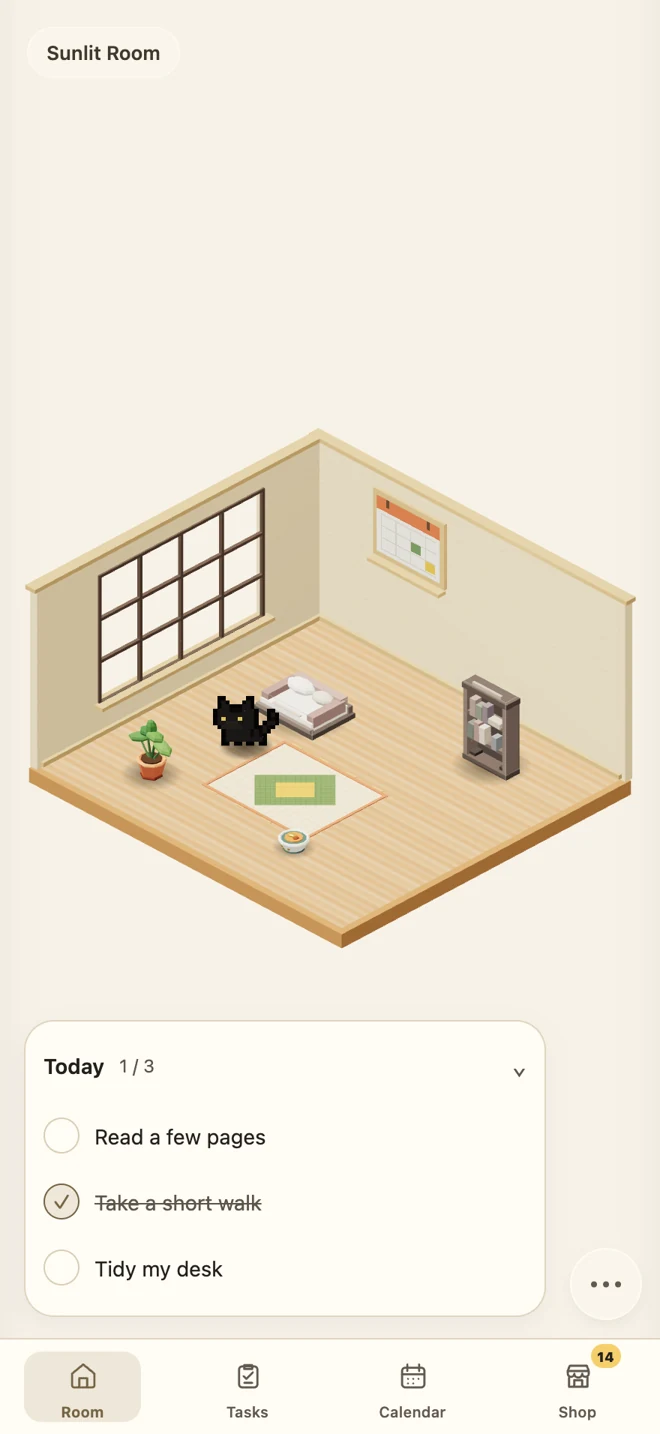 Actual app screen · Sample tasks
03 / TASKS AND YOUR CALENDAR
Track tasks in your list.
Look back in your calendar.
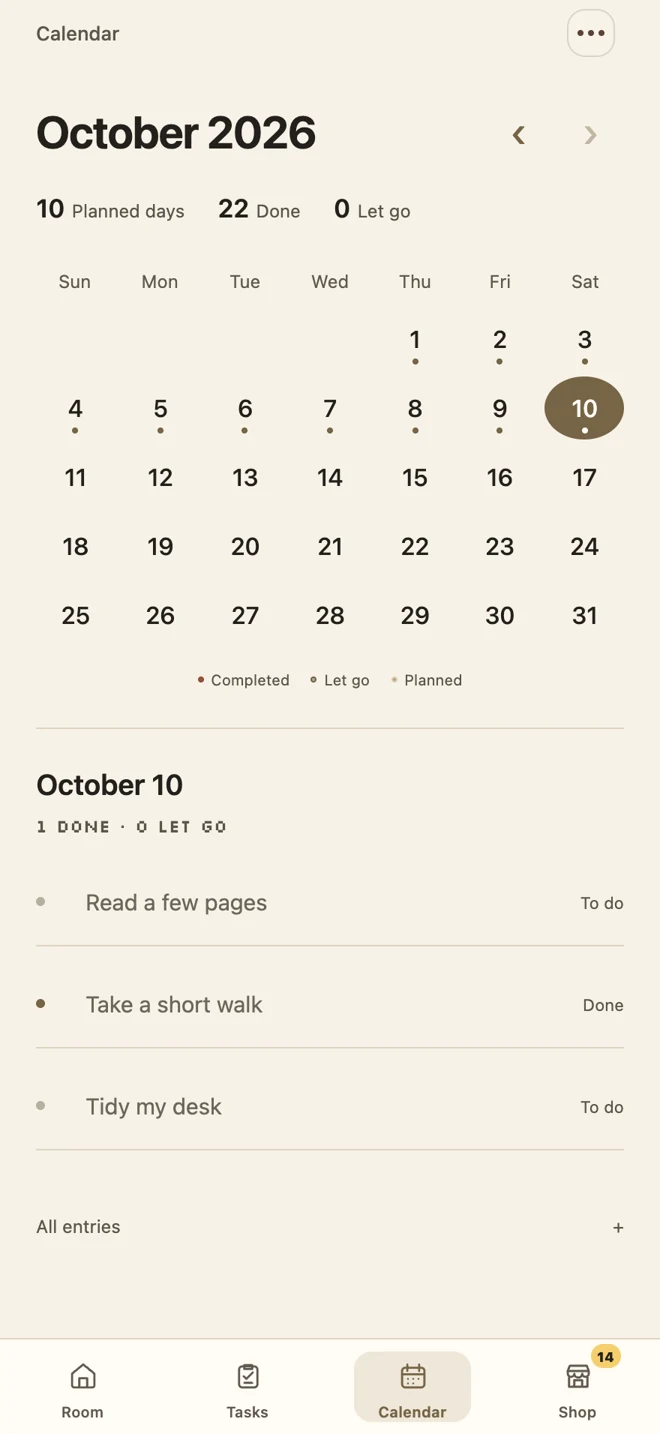
Your list holds today’s progress. Your calendar keeps the days you’ve lived. Look back and see how far those small steps have taken you.
Today: one thing at a timeWrite it down, mark it done, and close your day.
Yesterday: a little perspectiveChoose a date to revisit that day’s records.
Unfinished is okay, tooYou can choose to let a task go and leave yourself room to breathe.
04 / HOME SCREEN WIDGETS
Home screen widgets.
Your tasks and your cat.
Add Today’s Tasks and Cat Companion to your phone’s home screen. Glance at what matters today, and say hello to your cat.
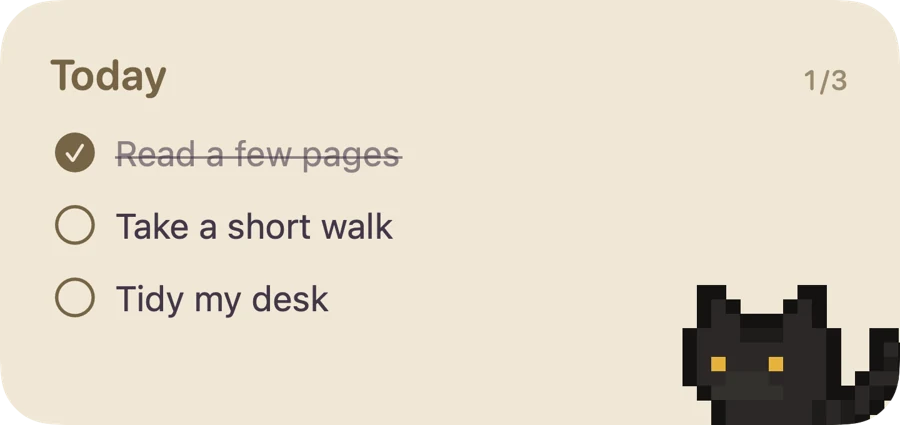

Available on iOS and Android. Images show native iOS widget styles. Widgets update when the system refreshes them; they do not animate continuously.
05 / SIX SOFT COLORS
Six color themes.
Make today feel like you.
Cream, Mist Purple, Sage, Sky, Rose, or Graphite. Open Settings and choose a color that feels right today.
You chose Cream — like a little afternoon sunshine.
Leave a little room for today
Small things,
take your time.
06 / GETTING STARTED
Start using Yahamiao.
Begin with one small task.
No account and no complicated setup. Choose one thing you would like to do today. That’s a lovely place to begin.
- 1
Come home first
Open the app to meet Jinbao and your sunlit room.
- 2
Write down today’s things
Type a task, or tap the bed, bowl, or bookshelf. Pick one to three things a day. You decide how many.
- 3
Take it at your own pace
Tap the circle when a task is done. Later, revisit your calendar or add something you love to your room.
Your records stay with you.Tasks are stored on your device by default. Before changing phones or uninstalling, export a JSON backup in Settings. Import it on your new device to bring your records along.
PRACTICAL GUIDES
Yahamiao guides: daily planning and home screen widgets
Find real setup steps, platform differences, and a way to bring your records to a new phone. Each guide has its own shareable page.
A cat and your tasks on the home screen
Add Yahamiao’s Today’s Tasks and Cat Companion widgets on iPhone, iPad, or Android. Learn where to find them and how system refreshes work.
Read the guide ↗02Bring your records to a new phone
Yahamiao mobile tasks are stored locally by default. Export a JSON backup, import it on a new device, and understand what restoring purchases does.
Read the guide ↗03Understand platforms and purchases
Yahamiao iOS is a paid download with optional purchases. Tencent App Store Android is free. Understand core features, membership, points, and restoring purchases.
Read the guide ↗04Start with one small thing that matters
Use Yahamiao to plan one to three things a day. Explore concrete work, study, and everyday task examples, track progress, and close your day.
Read the guide ↗05Set up reminders and fix missed alerts
Enable morning and evening reminders in Yahamiao, check notification permissions and silent settings, and understand mobile app and WeChat differences.
Read the guide ↗06Understand points and cat unlocks
Learn when daily points can be claimed in Yahamiao, how one-task and three-task days differ, and how point redemptions differ from optional purchases.
Read the guide ↗A FEW LITTLE QUESTIONS
Yahamiao questions, answered
Is Yahamiao a paid app?
The iOS app is a paid download. Daily planning, tasks, the calendar, and basic companionship need no additional payment after download; membership and some collectibles are optional in-app purchases. The Android version on Tencent App Store is free to download and currently has no paid purchases or subscriptions. Check each platform for current prices and terms.
Does finishing one task earn points?
Finish all the tasks you wrote for the day to collect one daily reward. Logging in, writing a task, or finishing only some tasks does not earn separate points. You can gradually redeem points for eligible cats, furniture, and decorations.
What if I don’t finish everything?
You can keep going or choose to let a task go when you close your day. Yahamiao is here for your own pace. Every little step counts.
Do I need an account? Can I change phones?
No account is needed. Your records stay on your device by default and do not automatically sync across devices. Export a JSON backup in Settings, then import it on your new device. Save your backup before uninstalling.
Can I set reminders or change languages?
The app supports Simplified Chinese, Traditional Chinese, and English. iOS and Android offer optional local reminders with notification permission; system settings can affect delivery. The WeChat mini program uses the subscription-message options available in that version.
Have another question?Help & support (Chinese)